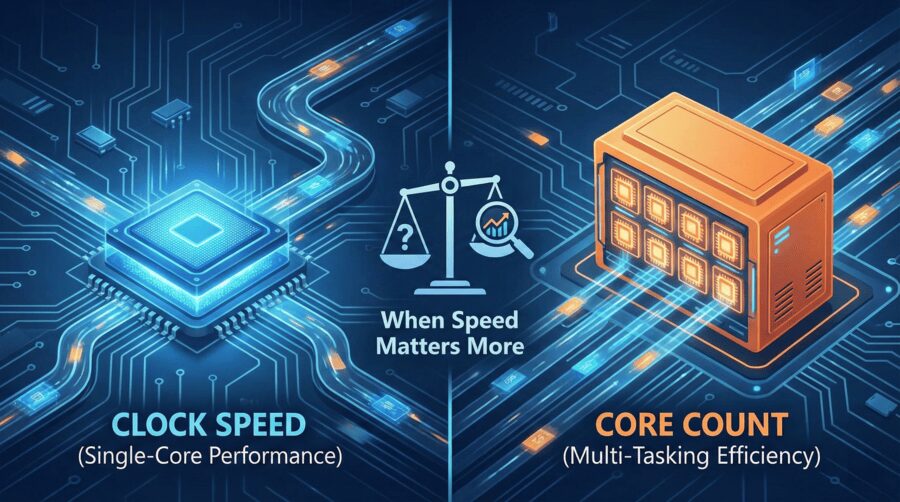
When Does CPU Clock Speed Matter More Than Core Count?
Applications feel slow even when CPU utilization looks low. Databases hesitate on simple queries, file servers fail to reach expected throughput, and high speed networks remain underused. These issues usually come down to one thing: the CPU was sized for the wrong kind of work. Understanding CPU clock speed vs core count is not a theory exercise. It directly determines whether infrastructure feels responsive or frustrating under real load.
This article goes deep into how CPUs behave in production, when CPU clock speed importance outweighs adding more cores, and how to evaluate single core performance vs multi core capacity based on real workloads rather than spec sheets.
Why CPU clock speed vs core count still causes real world problems
Modern CPUs advertise impressive numbers. More cores, higher boost clocks, larger caches. Yet many systems underperform because software rarely uses CPU resources the way marketing assumes.
Clock speed defines how fast a single execution path completes. Core count defines how many execution paths can run at the same time. These are different performance dimensions solving different problems.
Most production workloads are not perfectly parallel. They contain sequential sections that limit overall speed. When those sections dominate, more cores do not help. Faster cores do.
This is why understanding CPU core count explained in isolation is never enough.
What CPU clock speed actually controls today
CPU clock speed remains a reliable indicator of how fast a single core can execute instructions within the same CPU generation. Even with modern architectures executing multiple instructions per cycle, frequency still sets the upper limit for sequential work.
This is why the question when does CPU clock speed matter keeps coming up in real systems. It matters whenever work must complete in order, step by step.
Typical examples include database query planning, transaction commits, file system metadata operations, encryption and compression, request routing, and control plane services. In all of these cases, faster per core execution reduces latency directly.
If users complain about slow responses while CPU usage appears low, clock speed is often the missing piece.
CPU core count explained beyond multitasking
Core count is about concurrency, not speed. Each core allows another task to run in parallel. This matters most when workloads can be split into independent units.
Virtualization hosts, container platforms, media rendering, analytics pipelines, and batch processing all benefit from higher core counts. These workloads scale well as cores increase.
However, coordination overhead never disappears. Scheduling, locking, memory access, and I O paths eventually fall back to single core execution. This is where high core count systems can still feel slow if individual cores are weak.
Single core performance vs multi core in real production systems
Single core performance vs multi core tradeoffs become obvious under mixed workloads.
A web server may process many requests at once, but each request still executes sequential logic. Slow cores increase response times even when many cores are idle.
Databases often show low average CPU usage while queries remain slow. The issue is not lack of cores but insufficient single thread performance on critical paths.
Storage servers illustrate this clearly. Even with NVMe disks and 10Gbps or 25Gbps networks, protocol handling and checksum calculation can cap throughput on a single core.
This is why systems with fewer, faster cores frequently outperform systems with many slower cores for latency sensitive workloads.
When CPU clock speed matters more than core count
CPU clock speed becomes more important than core count when workloads have these characteristics:
- Sequential or lightly parallel execution
- Latency sensitive user interactions
- Heavy protocol, encryption, or metadata processing
- Moderate concurrency rather than massive parallelism
- Performance issues despite low overall CPU utilization
In these environments, faster cores unlock performance that additional cores cannot. This is common in databases, file servers, application gateways, and regional infrastructure services.
When core count becomes the priority
Core count matters more when workloads scale cleanly across threads.
Examples include virtualization clusters, container hosting, video encoding, scientific simulations, analytics, and AI preprocessing. These workloads trade latency for throughput and benefit from parallel execution.
In these cases, more cores increase total work completed even if individual tasks run slightly slower.
Why modern CPUs make the choice less obvious
Dynamic frequency scaling, turbo boosting, cache hierarchies, and power limits blur simple comparisons. A CPU with a lower base clock may still deliver strong single core performance under light load. A high core count CPU may reduce frequency under sustained pressure.
Architecture efficiency, memory bandwidth, and NUMA behavior all influence outcomes. Still, the fundamentals remain unchanged. Clock speed controls how fast one thing happens. Core count controls how many things can happen at once.
How infrastructure context shifts CPU bottlenecks
As storage and networks become faster, CPU execution becomes the bottleneck. NVMe reduces I O wait time. High speed networking exposes protocol overhead. Large memory pools reduce paging delays.
In these environments, CPU clock speed importance increases because execution time dominates overall performance.
This is why balanced server configurations outperform extreme ones in most real deployments.
How Dataplugs aligns CPU cores and clock speed for real workloads
Dataplugs dedicated servers are built around practical CPU choices rather than one size fits all presets. Customers can select CPU models that match how their applications actually run.
For latency sensitive workloads, Dataplugs offers servers with high clock speed CPUs such as Intel Xeon E series and newer Xeon E 2300 and E 2400 models. These typically feature 4 to 6 cores with base clocks around 3.4GHz to 3.8GHz and turbo speeds reaching 4.8GHz to 5.6GHz. These CPUs excel at databases, storage services, application servers, and protocol heavy workloads where single core performance matters most.
For balanced workloads, Dataplugs provides AMD EPYC 4000 and 7000 series servers. Examples include EPYC 4244P with 6 cores at 3.8GHz base and up to 5.1GHz boost, or EPYC 4464P with 12 cores at 3.7GHz base and up to 5.4GHz boost. These CPUs combine strong per core speed with enough cores for virtualization and parallel tasks.
For high density environments, Dataplugs offers dual socket Intel Xeon Gold and AMD EPYC platforms. Configurations range from 20 core Xeon Gold CPUs at 2.0GHz to dual AMD EPYC systems reaching 64, 128, or even 256 cores. These are suited for large virtualization clusters, analytics, and compute heavy workloads where throughput is the priority.
All of these options are available on Dataplugs CN2 GIA Dedicated Servers with direct China connectivity. Combined with NVMe storage, ECC memory, and low latency CN2 routing, CPU performance characteristics are not masked by network or storage limitations.
This flexibility allows teams to choose high clock speed, high core count, or balanced configurations based on real workload behavior rather than assumptions.
How to choose the right balance
Start with how your applications behave, not benchmarks alone.
If systems feel slow despite idle CPU resources, single core performance is often the constraint. If systems struggle under concurrency and background jobs lag, core count may be insufficient.
Most production environments perform best with CPUs that offer strong per core speed alongside enough cores for growth. Extreme configurations only make sense when workloads are clearly defined.
Conclusion
The debate around CPU clock speed vs core count is not about specs. It is about execution patterns. Clock speed matters when work must complete quickly on individual cores. Core count matters when work can be distributed across many threads.
Understanding when CPU clock speed matters more than core count prevents wasted spend and performance surprises. It leads to infrastructure that feels responsive, predictable, and scalable.
Dataplugs supports this approach with configurable dedicated servers, modern CPU platforms, NVMe storage, and CN2 GIA direct China connectivity designed for real production workloads.
You can connect with the Dataplugs team via live chat or email at sales@dataplugs.com to discuss CPU models, core counts, clock speeds, and dedicated server configurations that best fit your application needs.