Canary Releases for High Traffic Applications on Bare Metal
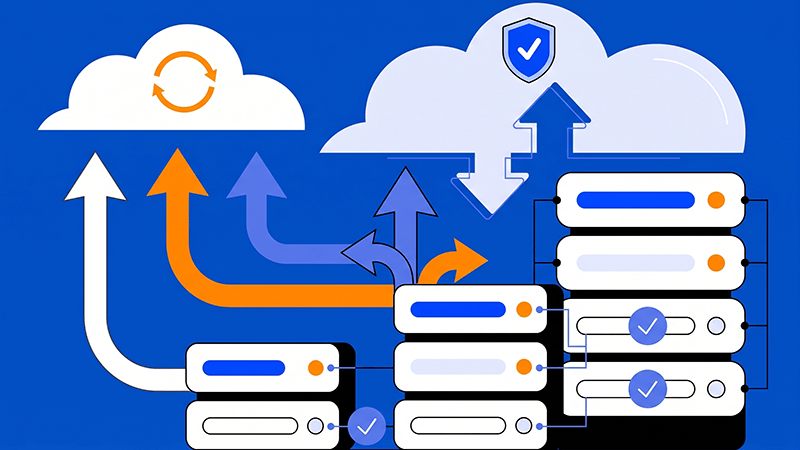
Canary releases let teams expose a new version to a small share of users before expanding it to the full audience. For high traffic applications running on bare metal, this controlled approach can reveal performance, compatibility, and capacity issues while most users remain on the stable version. However, a canary release is only effective when the traffic split, monitoring, data path, and rollback process are designed together.
Bare metal provides dedicated CPU, memory, storage, and network resources, but it does not automatically make a release safe. A reliable canary workflow needs a repeatable deployment process, a clear baseline, representative traffic, observable signals, and an operational decision to continue, pause, or revert.
Define the canary scope and success signals
Start by deciding which users, regions, devices, or traffic percentage will enter the canary first. A small internal cohort may be suitable for an initial check, while a high-traffic public service may need a staged percentage that can be increased without rebuilding the application.
- Set a baseline for availability, error rate, response time, resource usage, and key business transactions before the release begins.
- Document the promotion, pause, and rollback thresholds, including who can approve each step and how long the canary must remain stable.
A workload-led release process also benefits from Dataplugs’ automation opportunities in dedicated server operations.
Tip: A canary is not a smaller production environment unless it receives signals that are representative enough to support a release decision.
Prepare a production-like canary environment
The canary environment should match the stable environment in operating system, runtime, packages, firewall rules, certificates, storage mounts, network routes, and monitoring agents. On bare metal, the canary can run on a second dedicated server or an isolated capacity pool, depending on the architecture and traffic controls available.
Use immutable infrastructure with code principles to keep server definitions, application configuration, and release versions repeatable rather than relying on manual changes between environments.
- Keep the canary configuration versioned and verify that database drivers, queues, caches, external APIs, and background workers are compatible before exposing real users.
- Reserve enough CPU, memory, storage I/O, and network capacity for the canary itself, while protecting the stable environment from resource contention.
Protect data, sessions, and shared state
A canary changes application code gradually, but it does not automatically isolate stateful dependencies. Database schema changes, uploaded files, sessions, queues, caches, and scheduled jobs may be used by both versions during the rollout.
Treat shared sessions, queues, file storage, and scheduled jobs as part of the release plan, not as afterthoughts. Prefer backward-compatible schema changes so the stable and canary versions can read and write the same data safely.
- Keep database changes compatible with both versions until the canary has been promoted or rolled back.
- Decide how sessions, queues, scheduled jobs, and file storage remain consistent when both versions are briefly active.
Validate with realistic high-traffic signals
Before opening the canary to public users, run the same checks used for production. Test application endpoints, authentication, background jobs, integrations, logs, certificates, connection limits, and resource behaviour instead of relying on a single health response.
- Use smoke tests, integration tests, synthetic transactions, and representative read-only traffic where appropriate.
- Measure CPU, memory, disk latency, network throughput, error rates, p95 or p99 latency, queue depth, and database behaviour under expected peak patterns.
Dataplugs’ article on tools and customization options for developers highlights how managed tooling and automation can support repeatable deployment operations.
Control traffic in deliberate stages
The routing layer should make the canary percentage visible and adjustable. A load balancer, reverse proxy, service discovery system, or application-level flag can direct selected traffic, while DNS alone may not provide the control needed for rapid percentage changes.
- Start with a small percentage, keep an observation window, and increase exposure only when technical and business signals remain within the agreed limits.
- Account for sticky sessions, long-lived connections, caches, and asynchronous workers so users do not move between versions in a way the application cannot support.
Keep the canary cutover independent from unrelated infrastructure changes. Bare metal gives the team control over physical capacity and network configuration, but the rollout still needs clear routing rules, access controls, and an owner who can stop the promotion.
Monitor promotion and prepare rollback
During and after each traffic increase, compare the canary with the stable version. Watch availability, response time, error codes, application logs, queue depth, database behaviour, resource saturation, and business-level transactions rather than checking only whether the server responds.
- Set thresholds that trigger a pause or rollback, and make alerts reach the people responsible for the release.
- Test rollback during a planned exercise, including a failed health check, a regression that appears only under peak traffic, and a loss of the canary environment.
Keep the stable capacity available until the canary has passed the agreed observation period. A fast rollback is only realistic when the previous version, configuration, routing, and data compatibility are still ready to use.
Conclusion
Canary releases on bare metal help high traffic applications reduce deployment risk by limiting exposure while the new version is measured in a production-like environment. The method works best when the canary scope, environment parity, data compatibility, traffic controls, monitoring, and rollback thresholds are designed as one release process.
Dataplugs bare metal servers provide a stable physical base for teams that need predictable capacity and control during staged releases. Start with a small rollout, verify the complete promotion and rollback lifecycle, and expand exposure only after the operational signals are reliable.
For more information, visit the Dataplugs website or contact sales@dataplugs.com.