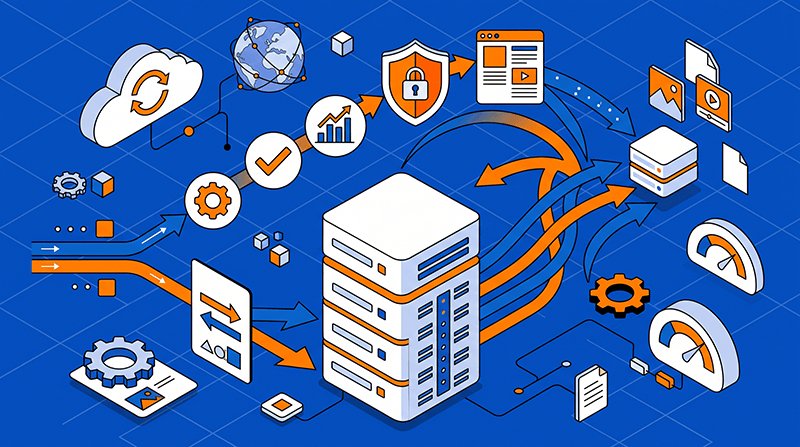
Layer 4 vs Layer 7 Load Balancing on Dedicated Servers
Layer 4 and Layer 7 load balancing both distribute traffic across dedicated servers, but they make decisions at different points in the connection. Layer 4 operates on IP addresses and TCP or UDP ports. Layer 7 understands application protocols such as HTTP and HTTPS, so it can route using hostnames, paths, headers, cookies, or request content.
The right choice is not simply the one with more features. It depends on whether the traffic needs fast connection-level distribution or application-aware routing, how much TLS and session state the load balancer must handle, and where health checks, logging, and failover should run.
Layer 4 and Layer 7 are different control points
Layer 4 sees a flow through its source and destination IP addresses, transport protocol, and port. It can forward a TCP or UDP connection without interpreting the application payload. Layer 7 terminates or understands an application protocol, allowing the balancer to make decisions about an HTTP request, API route, hostname, header, cookie, or response.
Dataplugs’ article Multi-Region Load Balancing Using Anycast, GeoIP Routing explains Anycast, GeoIP routing, Geo-DNS, and GSLB as traffic-steering layers for distributed services. These mechanisms can sit around a load-balancing design, but they should not be confused with the L4 or L7 processing performed inside a proxy or appliance.
- Layer 4 makes decisions from source and destination IP addresses, protocol, port, and connection state. It normally does not need to decrypt traffic, so encrypted sessions can continue end to end between the client and application server.
- Layer 7 can inspect the request after a protocol handshake and apply rules that are invisible at Layer 4. That flexibility adds processing, configuration, certificate, and state-management responsibilities to the load-balancing tier.
- Both approaches still need health checks that reflect the service, not just an open listening port.
- Layer 4 load balancing is a strong fit for high connection rates, TCP services, UDP services, and protocols that a proxy does not need to understand.
- It is often chosen when the application already manages encryption, sessions, and protocol-specific behaviour behind the balancer.
When Layer 4 load balancing fits
Layer 4 load balancing is a strong fit for connection-oriented traffic that can be distributed without reading application content. It keeps the forwarding path relatively simple and can preserve end-to-end TLS when the application servers, rather than the balancer, own certificate handling.
It is often chosen for TCP services, UDP services, encrypted protocols, and workloads where predictable connection distribution matters more than request-level routing.
- Use Layer 4 when the application already manages encryption, sessions, and protocol-specific behaviour behind the balancer.
- Use Layer 4 for TLS passthrough when end-to-end encryption or application-controlled certificate handling is required.
- Check connection tables, packet rates, backlog limits, and idle timeouts; a fast balancer can still fail when operating-system limits are too low.
- Layer 4 is not automatically stateless: long-lived connections, NAT tables, health state, and failover ownership still need an operational plan.
- If the protocol is not HTTP or the balancer should not terminate TLS, avoiding application parsing can simplify operations and reduce edge coupling.
When Layer 7 load balancing fits
Layer 7 load balancing is useful when several applications, APIs, or versions share an IP address and traffic must be separated by hostname, path, header, cookie, or other request attributes. It can also provide a central point for TLS termination, request logging, authentication integration, rate limiting, and application-aware health checks.
Dataplugs’ guide WebSocket Hosting Requirements for Real Time Applications notes that reverse proxies and load balancers must handle HTTP Upgrade headers, long-lived connections, heartbeats, and appropriate timeouts. These are practical Layer 7 concerns when the edge is responsible for interpreting and forwarding application traffic.
- Route requests by hostname or path when multiple services share a dedicated server, and keep those rules versioned with the application configuration.
- Terminate TLS at the Layer 7 tier when central certificate management, inspection, or policy enforcement is part of the design.
- Use cookies or another mechanism for sticky sessions only when the application cannot be made stateless or backed by shared session storage.
- Collect request-level latency, status codes, upstream errors, and route-specific logs so capacity and failure analysis are meaningful.
- Configure graceful draining and per-service health checks so maintenance removes only unhealthy or changing backends instead of dropping every connection.
Dedicated server trade-offs and sizing
A dedicated server gives the load-balancing tier predictable CPU, memory, network, and operating-system capacity, but the balancer still needs its own sizing model. Estimate concurrent connections, new connections per second, packets per second, TLS handshakes, request rate, payload size, upstream fan-out, and the amount of state held for each session.
Dataplugs’ article Automated Failover with VRRP, BGP for Server Availability shows how VRRP and BGP can coordinate local endpoint ownership with wider route announcements. In a multi-server design, the load balancer, virtual IP, routing state, and application health must move together or traffic can still reach an unhealthy node.
- Budget CPU and memory for TLS termination, request inspection, compression, logging, and any authentication or rate-limiting modules used at Layer 7.
- Check NIC capacity, packets per second, connection tracking, interrupt handling, and network headroom rather than comparing only link speed.
- Set operating-system file-descriptor limits, listen backlogs, keepalive settings, and proxy timeouts for the intended connection profile.
- Decide where session, subscription, cache, and queue state lives before adding a second backend; a load balancer cannot make an inconsistent state model safe.
- Provide redundant balancer nodes or a tested failover path, and make sure route ownership and health state are visible to the operations team.
Choose a layered design and test the handoff
A practical architecture may use Layer 4 for a high-throughput TCP or UDP entry point and Layer 7 behind it for HTTP routing, TLS policy, or service separation. Other designs use Layer 7 directly on the dedicated server when the application needs request-aware control and the expected connection rate is within the proxy capacity.
Test the full decision path before production: open and long-lived connections, new connection bursts, TLS handshakes, HTTP status and path rules, sticky-session behaviour, backend failure, connection draining, health-check recovery, and failover between balancer nodes. Measure p95 and p99 latency, error rates, dropped connections, CPU, memory, and packets per second during the test.
Conclusion
Neither Layer 4 nor Layer 7 load balancing is universally better. Layer 4 keeps the forwarding path simple and efficient for connection-oriented traffic, while Layer 7 provides the application awareness needed for HTTP routing, TLS policy, and service-level control. On dedicated servers, the most reliable choice is the one that matches the protocol, state model, capacity limits, monitoring, and failover procedure of the workload.