Advanced Monitoring with Prometheus, Grafana for Server Health
Production systems rarely collapse in a single moment. Performance usually erodes quietly through rising CPU contention, gradual memory pressure, increasing disk latency, or subtle network instability that never triggers a hard failure. Without continuous, high‑resolution visibility into these signals, teams only respond after users are affected. Advanced server monitoring exists to surface these behaviors early and consistently, allowing intervention before reliability is compromised.
Why Advanced Server Monitoring Has Become Essential
Modern infrastructure is inherently distributed. Dedicated servers, virtual machines, containers, databases, and external services all contribute to a single application experience. Traditional monitoring approaches built around uptime checks or fixed thresholds struggle to reflect how these components behave under real production workloads.
As environments grow, teams often face:
- Fragmented visibility across multiple tools
- Alerts that trigger on symptoms instead of causes
- Limited historical data for diagnosing slow degradation
- Difficulty correlating infrastructure behavior with application performance
Advanced server health monitoring replaces isolated checks with continuous telemetry and trend analysis.
Prometheus Monitoring and the Metrics First Architecture
Prometheus is a time‑series monitoring system designed to collect numerical metrics at scale. It actively scrapes metrics from monitored targets at regular intervals, creating a consistent view of system behavior over time. This pull‑based model ensures predictable data collection even when applications behave unexpectedly.
Prometheus monitoring supports:
- High‑resolution time‑series storage optimized for operational data
- A flexible label‑based data model for aggregation and filtering
- Real‑time querying with PromQL for analysis and alerting
Rather than asking whether a system is simply up or down, Prometheus reveals how a system behaves minute by minute.
Node Exporter and Server Health Visibility
At the host level, Prometheus relies on exporters to expose metrics. Node Exporter is the standard component for server health monitoring and provides insight directly from the operating system.
Node Exporter exposes:
- CPU usage, load averages, and scheduling behavior
- Memory consumption including cache, buffers, and swap activity
- Disk IO throughput, latency, and saturation
- Network traffic, errors, and interface congestion
Because these metrics originate from the kernel, they reflect real resource constraints rather than application‑level assumptions.
Grafana Monitoring as the Operational Interface
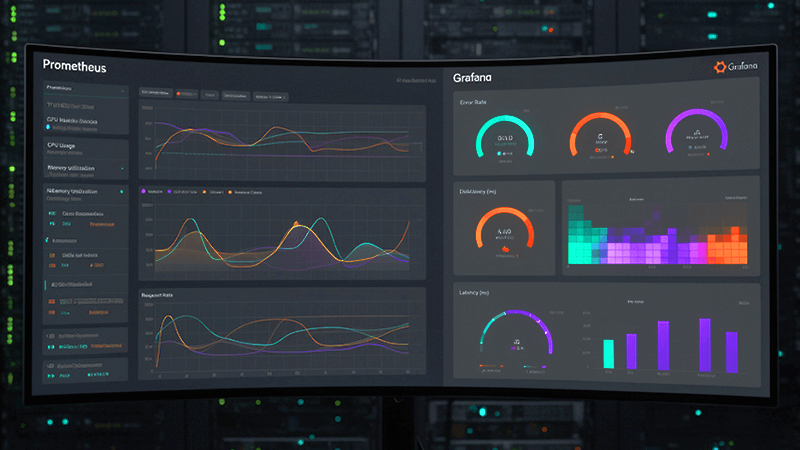
Prometheus provides the data, but Grafana turns that data into operational understanding. Grafana monitoring acts as the visualization and exploration layer, transforming time‑series metrics into dashboards that support daily operations and incident response.
Grafana allows teams to observe trends, compare metrics, and investigate anomalies interactively. Instead of reacting to alerts in isolation, operators see how CPU, memory, disk, and network behavior interact under real traffic conditions.
Designing Dashboards That Reflect Real Server Health
Effective dashboards prioritize clarity and context over volume. They focus on metrics that reveal system behavior rather than surface‑level indicators.
Strong server health dashboards typically include:
- CPU usage split by user, system, and IO wait
- Memory usage that separates cache from actual pressure
- Disk performance shown through latency and saturation, not just capacity
- Network throughput paired with error rates and retransmissions
These views help teams identify early warning signs before failures occur.
Advanced Alerting with Prometheus and Grafana
Alerting is effective only when it represents meaningful risk. Static thresholds often generate noise, especially in dynamic environments. Advanced server monitoring relies on alerts driven by behavior rather than single data points.
Well‑designed alerts focus on sustained conditions, rate of change, and combinations of metrics such as high CPU accompanied by rising disk IO wait. This reduces alert fatigue while improving response accuracy.
Base Level Implementation: How to Get Started
A Prometheus and Grafana monitoring stack can be implemented incrementally without complex orchestration.
Begin by preparing a Linux server with stable network connectivity. Install Prometheus and configure it using a prometheus.yml file that defines scrape targets, typically Node Exporter endpoints running on each monitored server.
Node Exporter is installed on every host and runs as a background service, exposing metrics on port 9100. Once Prometheus is running, it begins scraping metrics automatically at the defined interval.
Grafana is then installed as the visualization layer. After starting the Grafana service, Prometheus is added as a data source using its service URL. Metrics become immediately available for dashboards and alert rules.
Community dashboards can be imported to accelerate setup and then refined to reflect workload‑specific behavior. Alerts are created using Prometheus queries that represent abnormal conditions and integrated with notification channels such as email or webhooks.
Scaling Monitoring as Infrastructure Expands
As infrastructure grows, monitoring must scale without becoming fragile. Prometheus supports federation to aggregate metrics from multiple instances and remote write for long‑term storage. Grafana aggregates data from multiple Prometheus servers into unified dashboards.
This architecture supports multi‑region deployments, hybrid cloud and bare‑metal environments, and long‑term capacity planning without sacrificing performance.
Why Dedicated Server Infrastructure Matters for Monitoring Accuracy
Monitoring accuracy depends heavily on the stability of the environment collecting and serving metrics. Shared platforms can introduce CPU contention, inconsistent IO performance, and network variability that distort measurements and delay scraping.
Dedicated servers provide predictable performance, isolated resources, and full control over system configuration. This is especially important for advanced server monitoring, where accuracy and consistency are critical.
Dataplugs Dedicated Server solutions align well with Prometheus and Grafana deployments. By offering exclusive CPU and memory resources, high‑bandwidth connectivity, and full root access, Dataplugs dedicated servers allow monitoring stacks to operate without interference from unrelated workloads. This ensures collected metrics reflect real system behavior rather than platform noise.
For environments running continuous workloads, complex applications, or multi‑region monitoring setups, dedicated infrastructure provides the stability required for reliable server health monitoring and long‑term observability.
Operational Discipline for Long‑Term Monitoring Success
Monitoring systems deliver value only when they evolve alongside the infrastructure they observe. Metric cardinality should be controlled to maintain query performance. Recording rules should be used for frequently accessed metrics. Dashboards and alerts should be reviewed regularly as workloads and traffic patterns change.
When monitoring aligns with operational workflows, it becomes a decision‑making tool rather than an additional system to maintain.
Conclusion
Advanced server health monitoring with Prometheus and Grafana provides continuous, high‑fidelity visibility into how systems behave under real workloads. By combining consistent metrics collection, meaningful visualization, and intelligent alerting, teams gain the ability to detect and resolve issues before users are affected.
When deployed on stable, dedicated infrastructure, this monitoring stack becomes a long‑term operational asset. Organizations building or refining monitoring strategies can benefit from running Prometheus and Grafana on Dataplugs Dedicated Servers, where predictable performance and network reliability support accurate observability at scale. For more information, Dataplugs can be contacted via live chat or email at sales@dataplugs.com.