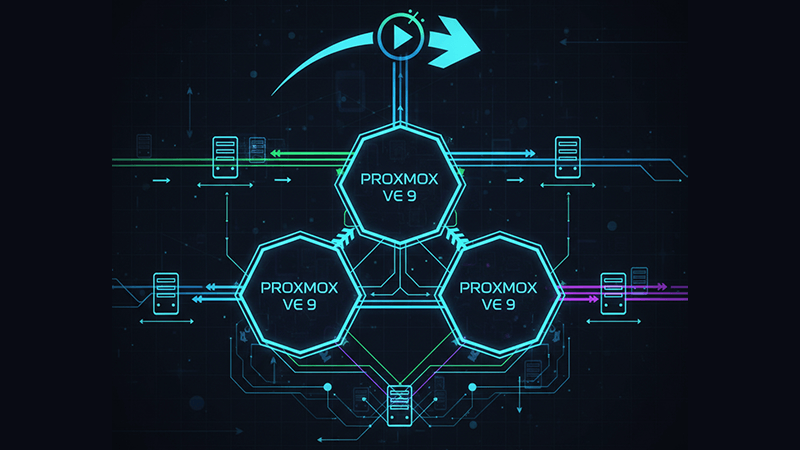
Live Migration Processes in Proxmox VE 9 Cluster Environments
Live migration in Proxmox VE 9 allows virtual machines to move between cluster nodes while remaining online. In production environments, this process must safely transfer active memory, ongoing disk writes, and execution state without interrupting services. For organizations running Proxmox VE 9 clusters, understanding how live migration works internally is essential for maintaining uptime during maintenance, upgrades, and capacity rebalancing.
Why Live Migration Matters in Proxmox VE 9 Virtualization
Within a Proxmox VE 9 cluster, live migration enables rolling updates, hardware maintenance, and proactive workload redistribution. Proxmox VE 9 improves migration reliability through tighter coordination between QEMU, KVM, cluster services, and storage handling, supporting both shared and local storage designs with predictable behavior when properly configured.
Core Requirements Before Performing Live Migration
Before starting any Proxmox VE live migration process, the environment must meet several baseline requirements:
- All nodes must be part of the same Proxmox VE 9 cluster
- Storage definitions must exist cluster wide with identical storage IDs
- CPU architectures must be compatible across nodes
- Network connectivity between nodes must be stable and low latency
- Adequate free memory and storage must be available on the target node
Meeting these conditions upfront prevents stalls and failures during the final migration phase.
Storage Architecture and Migration Behavior
Storage design has a direct impact on Proxmox cluster migration performance.
With shared storage such as NFS, Ceph RBD, CephFS, or iSCSI, VM disks remain accessible from all nodes. Only memory and CPU state are transferred, making migrations fast and consistent.
With local storage such as ZFS or LVM thin, Proxmox performs live disk mirroring. Disk blocks are synchronized while the VM runs, and changes are tracked until convergence. Migration time depends on disk latency, throughput, and write intensity.
Features like discard, SSD emulation, QCOW2 layering, and snapshots can increase CPU and IO load, influencing migration speed and stability.
Step by Step: How Proxmox VE 9 Live Migration Works
Step 1: Migration initialization
The migration is triggered manually, via HA, or through automation. Proxmox validates configuration, storage mappings, and node compatibility.
Step 2: Target node preparation
The destination node creates a paused VM instance with virtual hardware and network interfaces ready.
Step 3: Disk handling
- Shared storage requires minimal disk work
- Local storage triggers a live disk mirror with change tracking
Step 4: Memory synchronization
RAM pages are transferred iteratively. Modified pages are resent until the remaining delta is small.
Step 5: Final switchover
The VM is briefly paused, remaining memory and CPU state are transferred, and the VM resumes on the destination node.
Step 6: Cleanup
Source side resources are released and the migration completes.
This process is transparent to the guest OS, allowing applications and databases to remain online.
Why Migrations Sometimes Stall Near Completion
When a migration appears stuck at the final stage, common causes include:
- Disk latency delaying final synchronization
- Network packet loss or MTU inconsistencies
- Excessive concurrent migrations
- Kernel specific tunnel behavior
Dedicated migration networks, limited concurrency, and consistent kernel and MTU settings reduce these risks.
Live Migration Versus High Availability Failover
Live migration preserves VM memory and CPU state. High availability failover does not. If a node fails, the VM is restarted elsewhere with unavoidable downtime. Live migration supports controlled transitions, while HA focuses on recovery after failure.
Cross Storage and Cross Site Migration
Proxmox VE 9 supports live migration across different storage backends. Disk data is synchronized first, followed by memory convergence, ensuring no write delta is lost. This enables storage upgrades, data center consolidation, and planned cross site moves with minimal downtime.
Migrating from VMware to Proxmox VE 9
Direct live migration from VMware is not possible due to hypervisor differences. However, Proxmox supports low downtime strategies using shared intermediate storage or attach disk and move disk workflows, significantly reducing cutover time during platform transitions.
Operational Best Practices
Reliable Proxmox live migration depends on disciplined operations:
- Use dedicated migration networks
- Standardize storage IDs cluster wide
- Avoid heavy IO workloads during migrations
- Limit concurrent migrations
- Monitor disk latency and memory dirty rates
Infrastructure Considerations
Live migration stresses CPU, memory, storage, and east west networking simultaneously. Dedicated infrastructure offers the consistency needed for predictable behavior. Dataplugs provides enterprise grade dedicated servers suitable for Proxmox VE 9 cluster deployments, delivering stable performance and high quality connectivity for migration intensive environments.
Conclusion
Live migration in Proxmox VE 9 cluster environments is a stable and proven capability when storage, networking, and cluster design are aligned. By understanding the Proxmox VE live migration process and its dependencies, organizations can perform maintenance, upgrades, and workload balancing with confidence.
For teams planning or optimizing Proxmox VE 9 virtualization and cluster migration strategies, reliable infrastructure is critical. To discuss deployment options or architecture considerations, connect with Dataplugs via live chat or email sales@dataplugs.com.