Snapshot vs Backup: What Are the Best Practices for Data Protection?
When a storage array becomes encrypted during a ransomware attack or a production database corrupts mid transaction, the discussion immediately becomes operational. Which recovery point is clean? How fast can services be restored? How long will systems remain exposed?
In dedicated hosting environments running ERP systems, SaaS platforms, financial databases, ecommerce workloads, or Kubernetes clusters, data loss is not a theoretical scenario. It is an eventuality that must be engineered around. The snapshot vs backup decision defines how your infrastructure reacts under failure conditions. It directly influences uptime, recovery confidence, and overall enterprise data protection.
Understanding Snapshot Technology in Production Architecture
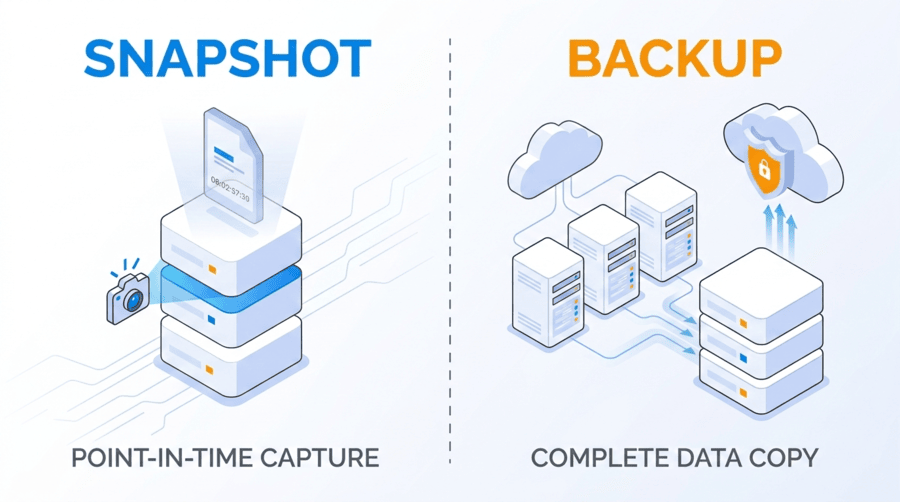
A snapshot captures the state of a volume, virtual machine, or file system at a specific point in time. It does not duplicate all data blocks immediately. Instead, it records metadata references and tracks changes using copy on write or redirect on write mechanisms.
When an application update fails or a configuration change introduces instability, administrators can revert to a snapshot within minutes. No full data restoration is required. No offsite retrieval delay is involved. In environments where operational continuity matters, this speed reduces service interruption and limits cascading impact.
The structural limitation remains clear. Snapshots are stored on the same primary storage system as live data. If the underlying SAN, RAID array, or controller fails, or if privileged credentials are compromised, snapshots share that same failure boundary. They are powerful for operational rollback but do not create independence from infrastructure level risk.
Understanding Backup Architecture in Enterprise Data Protection
A backup creates a complete, independent copy of data stored separately from production systems. It may follow full, incremental, or differential methodologies and is governed by retention and immutability policies.
When primary infrastructure becomes unavailable due to hardware failure, data corruption, cyberattack, or facility outage, backup repositories allow restoration from outside the original failure domain. This independence is what transforms redundancy into resilience.
Backups are designed for survivability rather than speed. They support long term retention, granular restoration of files or database objects, and compliance driven record keeping. In a true data backup vs snapshot comparison, backups extend protection beyond the boundaries of the primary storage environment.
Snapshot vs Backup: Core Architectural Differences
The snapshot vs backup comparison becomes meaningful when examined through infrastructure boundaries rather than speed metrics alone. The distinction lies in dependency, retention scope, and exposure.
Architecture Factor | Snapshot | Backup |
Storage Dependency | Tied to primary storage system | Independent from production storage |
Recovery Speed | Extremely fast full volume rollback | Longer restoration but supports granular recovery |
Retention Scope | Short term recovery windows | Structured long term retention |
Security Exposure | Can be altered or deleted if credentials are compromised | Immutable backups resist tampering |
Snapshots operate within the same failure boundary. Backups extend beyond it. Snapshots optimize operational agility. Backups secure structural continuity. Mature backup strategy planning integrates both into a coordinated disaster recovery solution.
Failure Domains and Risk Containment
Every infrastructure design contains defined failure domains. A failure domain represents the scope within which a single incident can cause system wide disruption.
If snapshots reside on the same SAN as production workloads, they share exposure to controller failure, RAID corruption, encryption attacks, and administrative misuse. Backups stored on separate infrastructure introduce separation from that risk. That separation is the foundation of enterprise data protection.
Redundancy inside one boundary is not equivalent to resilience across boundaries. Effective disaster recovery solutions reduce shared exposure by design rather than by assumption.
Ransomware and Snapshot Exposure
Modern ransomware campaigns specifically target recovery layers. Attackers understand that eliminating restore points increases leverage and prolongs downtime.
If administrative credentials are compromised, storage volumes and snapshots may be encrypted or deleted. Replication can be disabled, and metadata can be corrupted. Without an isolated backup repository protected by immutability controls, recovery becomes uncertain.
This is why data protection best practices emphasize maintaining multiple copies across different storage media with at least one copy stored outside the primary infrastructure. Snapshots alone cannot fulfill that requirement.
Granular Recovery Versus Full Rollback
Snapshots are optimized for restoring entire volumes or virtual machines. They are effective when reversing a failed upgrade or configuration error.
Backups provide more flexible restoration options. Individual files, database tables, or application components can be restored without reverting unrelated systems. In enterprise environments where uptime and data consistency are critical, granular recovery minimizes disruption.
Backup strategy planning must account for both full system failure and selective data corruption scenarios. Relying on a single recovery method limits flexibility during complex incidents.
Backup Strategy Planning in Dedicated Infrastructure
Effective backup strategy planning begins with workload classification. Recovery Time Objectives and Recovery Point Objectives must align with business priorities rather than technical convenience.
Mission critical systems often require frequent snapshots to reduce data loss windows combined with scheduled backups stored on independent infrastructure. Retention policies should reflect compliance obligations and operational needs. Less critical systems may tolerate longer intervals but still require independent protection.
Enterprise data protection is not uniform across workloads. It must reflect transaction intensity, revenue dependency, and regulatory exposure.
Performance and Storage Architecture Impact on Recovery
Recovery speed is directly influenced by storage architecture. As drive capacities increase, rebuild windows expand. During rebuild, performance may decline and remaining disks operate under higher stress, increasing exposure.
NVMe SSD arrays significantly shorten rebuild duration due to high parallel I/O and low latency characteristics. In RAID 10 configurations, rebuild activity is localized to mirrored pairs, reducing degraded state duration and maintaining performance stability.
Storage medium directly affects how effective snapshot and backup strategies perform under real conditions. Infrastructure performance determines whether RTO targets are realistically achievable.
Dataplugs All Flash NVMe Dedicated Infrastructure and Data Protection
Storage architecture changes how snapshot and backup strategies behave during failure events. Dataplugs provides single tenant all flash NVMe dedicated servers configured in RAID 1 or RAID 10, eliminating shared storage contention.
Because there is no multi tenant layer, rebuild performance and restore throughput remain predictable. Snapshot operations execute consistently. Backup windows remain stable. Recovery timelines are not influenced by external workloads.
For transactional platforms, SaaS environments, blockchain nodes, and ecommerce systems, aligning snapshot and backup architecture with high performance NVMe infrastructure strengthens reliability and minimizes degraded exposure.
Hardware isolation ensures that enterprise data protection policies are supported by consistent underlying performance.
Data Storage Solutions: Reliable Data Storage and Backup with SAN / JBOD
Enterprise data protection extends beyond server level RAID. Scalable SAN and JBOD architectures provide structural separation between compute and storage layers.
SAN environments centralize storage management, offer redundant controllers, and enable array level snapshot orchestration. This allows multiple servers to share resilient storage resources while maintaining consistent performance.
JBOD configurations provide high capacity expansion for backup repositories and archival retention. When integrated into structured backup frameworks, JBOD storage functions as a dedicated retention layer separated from primary compute systems.
Dataplugs Data Storage Solutions incorporate SAN and JBOD architectures within secure data center facilities. By separating compute from storage and introducing redundancy at the controller level, organizations reduce shared failure domains and strengthen disaster recovery solutions.
Combining NVMe dedicated servers with scalable SAN storage and disciplined backup policies creates a layered model supporting both rapid rollback and durable long term retention.
Monitoring, Validation, and Continuous Testing
Automation improves consistency but does not eliminate risk. Snapshot schedules, backup monitoring, storage health diagnostics, and replication alerts must operate continuously.
Equally important is restore validation. Backup chains must be tested regularly. Integrity verification ensures that recovery processes perform as expected when required. Without validation, disaster recovery solutions remain theoretical.
Enterprise data protection depends on both design and verification.
Compliance and Governance Alignment
Regulated industries require documented retention policies and demonstrable recovery capabilities. Backups support enforced retention schedules, immutable storage layers, audit logging, and role based access control.
Snapshots, due to their short term nature and infrastructure dependency, cannot independently satisfy long term compliance obligations.
Governance must be embedded into backup strategy planning from the beginning.
Conclusion
The snapshot vs backup discussion is not about choosing speed over security. It is about layering recovery boundaries.
Snapshots provide rapid rollback within the same storage domain. Backups provide independent recovery beyond that domain. Immutable storage strengthens resistance against unauthorized modification. SAN and JBOD architectures introduce scalable separation. NVMe dedicated infrastructure ensures predictable performance during rebuild and restore operations.
Enterprise data protection succeeds when storage topology, infrastructure isolation, and backup strategy planning operate together as a cohesive framework.
For organizations seeking reliable disaster recovery solutions across Asia Pacific, Dataplugs offers NVMe SSD all flash dedicated servers and scalable SAN storage designed for consistent performance and hardware isolation. Connect with the team via live chat or at sales@dataplugs.com to discuss infrastructure aligned with your uptime and recovery objectives.