How can I optimize long-distance file transfers over TCP?
When long-distance file transfers slow down, bandwidth is often blamed first. That is understandable, but it is rarely the full story. A 1 Gbps port can still produce disappointing transfer speeds between Hong Kong and Los Angeles, Tokyo and Europe, or between on-premises storage and a distant cloud region. In many cases, the problem is not raw capacity but the gap between theoretical bandwidth and actual throughput under latency, packet loss, congestion, and default TCP behavior.
For businesses moving large files across wide area networks, long-distance TCP optimization is about improving how efficiently available network capacity is actually used. At Dataplugs, this is why route quality, network stability, and transport efficiency matter just as much as port speed.
What long-distance TCP optimization means
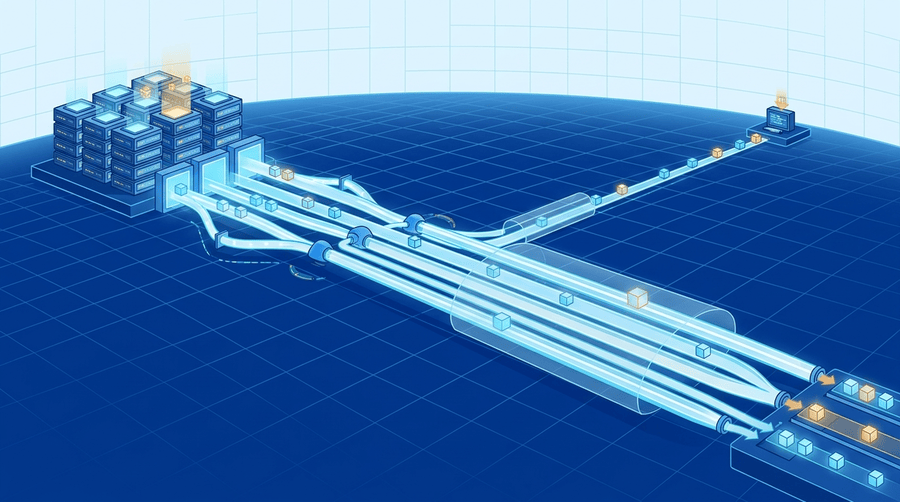
Optimizing long-distance file transfers over TCP means reducing the time TCP spends waiting, backing off, or retransmitting across high-latency paths. The goal is not to replace TCP, but to help it use the path more effectively.
This matters for media delivery, backup replication, database exports, dataset migration, software distribution, and cross-region synchronization. In these workloads, the available bandwidth may look sufficient on paper, but the transfer still struggles to fill the link consistently.
Why more bandwidth alone does not fix it
A larger circuit does not automatically create faster long-distance transfers. Bandwidth is the maximum capacity of the link, while throughput is the actual transfer rate achieved in practice. If TCP is limited by latency, window size, retransmissions, or congestion behavior, throughput can remain far below line speed.
This is why some businesses upgrade from 100 Mbps to 1 Gbps and still see only modest gains. The path may be larger, but TCP still has to work through round-trip delay and network variation.
Tip: A bigger pipe does not help much if TCP cannot keep enough data in flight.
Start with the bandwidth-delay product
One of the most useful concepts in long-distance TCP performance is the bandwidth-delay product, or BDP. It shows how much data must stay in transit at one time to fully use the path. If the TCP window is too small, the sender pauses too often while waiting for acknowledgements.
This is a common reason high-bandwidth, high-latency links underperform. The farther the path, the more important it becomes to keep enough unacknowledged data moving.
Increase window size, tune buffers, and choose the right congestion control
TCP window size and buffer settings are often the first areas worth reviewing. If they are too small, throughput suffers even when the route is otherwise healthy. Window scaling is especially important on modern long-distance links because older defaults were built for lower-speed, lower-latency environments.
The right approach is not simply to push values as high as possible. Buffer sizes should match the real path, system memory profile, and workload. Congestion control also matters. Common Linux options such as CUBIC and BBR can behave differently depending on route conditions, so testing is important.
Tip: On a clean long-haul route, weak throughput often points to window, buffer, or congestion control settings.
Packet loss, parallel streams, and file type all affect results
Even small amounts of packet loss can hurt TCP badly over long distances. TCP treats loss as a sign of congestion, slows down, and retransmits data. On international routes, recovery takes longer because each retransmission cycle already carries high round-trip delay.
Parallel streams can help when a single TCP flow cannot fully use the path, especially for very large files or large file sets. At the same time, a single large archive behaves very differently from millions of small files. Large files are usually limited by sustained throughput, while small-file workloads are often affected more by per-file overhead, session handling, and filesystem activity.
Tip: Low packet loss and the right transfer method often matter more than raw bandwidth.
Do not ignore storage and operating system tuning
Not all file transfer bottlenecks come from the network. A tuned TCP stack cannot compensate for slow source reads, inconsistent destination writes, or weak storage IOPS. In many environments, the bottleneck may sit on disk, in storage protocol handling, or at the application layer.
For Linux environments, it is also worth reviewing TCP window scaling, socket buffer limits, congestion control selection, NIC offload features, and CPU interrupt handling. On dedicated servers used for backup jobs, replication, or international delivery, these settings can make a meaningful difference.
Why route quality still sets the ceiling
Even well-tuned TCP cannot overcome poor routing. If traffic crosses congested transit, unstable peering, or inefficient international paths, throughput will be harder to maintain.
Dataplugs supports international workloads through a low-latency BGP network, multiple Tier 1 ISPs, network capacity above 1 Tbps, and deployment locations in Hong Kong, Tokyo, and Los Angeles. Dataplugs also supports CN2 GIA connectivity for Mainland China, along with DDoS-protected, unshared infrastructure designed for stable international traffic behavior. That gives businesses a better foundation for backups, media transfers, application delivery, and cross-region file exchange.
A practical checklist
- Measure latency, packet loss, and throughput before making changes
- Estimate the bandwidth-delay product for the route
- Increase TCP window sizes and confirm window scaling is enabled
- Tune send and receive buffers to fit the workload
- Test congestion control options such as CUBIC or BBR
- Check for packet loss, routing instability, and interface errors
- Use parallel streams where they improve utilization
- Reduce overhead for small-file transfers through batching or pipelining
- Validate source and destination storage performance
- Re-test on a stable, well-routed network path
Conclusion
To optimize long-distance file transfers over TCP, focus on the factors that limit throughput across WAN links: window size, buffer tuning, congestion control, packet loss handling, and stream strategy. The best results come from combining protocol tuning with strong routing, storage validation, and realistic testing rather than assuming more bandwidth alone will solve the issue.
The real goal is not simply faster transfers in theory, but more predictable and efficient file movement across real international paths. Dataplugs supports that objective with enterprise-grade dedicated servers, low-latency global BGP connectivity, CN2 GIA options, and infrastructure in Hong Kong, Tokyo, and Los Angeles.
For more information, visit Dataplugs or contact sales@dataplugs.com.