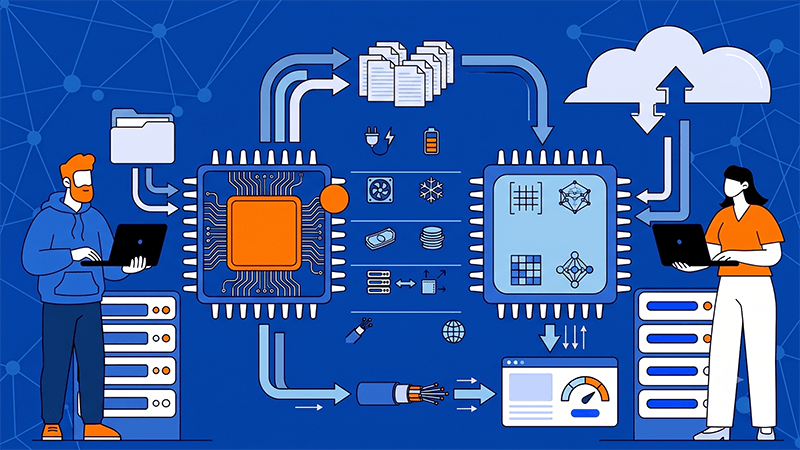
What Are the Infrastructure Considerations for GPU vs TPU in AI Inference and Training Workloads?
Once AI workloads move beyond testing, infrastructure decisions start affecting delivery speed, deployment flexibility, cost control, and service stability. That is when the GPU versus TPU discussion becomes less about raw specifications and more about long-term fit. For training and inference, the right choice depends on how the workload behaves, which frameworks the team uses, how the environment will scale, and whether the business needs portability or tighter optimization.
Why this decision is really about infrastructure fit
In practice, most teams are not choosing between two chips. They are choosing between two infrastructure paths. A training environment that changes often usually benefits from flexibility, while a stable high-volume workload may benefit more from specialization.
Useful questions include:
- does the workload run daily or only during training cycles
- is inference real time, batch based, or mixed
- does the stack rely on PyTorch, TensorFlow, or JAX
- does the business need cloud portability or private infrastructure
- are costs easier to manage with fixed monthly hosting or usage pricing
What GPUs are usually better suited for
GPUs are generally the safer choice for most AI teams because they support a wider range of frameworks and deployment models. They work well for training, fine-tuning, experimentation, and inference, especially when the environment is still evolving. If the team expects regular model changes or mixed workloads, GPU infrastructure is usually easier to manage.
- strong support for PyTorch, TensorFlow, JAX, and ONNX
- available in cloud, dedicated server, and private cloud environments
- suitable for both training and production inference
- easier to integrate into mixed or changing workflows
Tip: If your model stack is still changing every month, flexibility usually matters more than specialized acceleration.
What TPUs are usually better suited for
TPUs are designed for machine learning workloads that are already well aligned with TensorFlow or JAX. They are especially relevant for large-scale training inside Google Cloud, where model behavior is stable and repeatable. In those cases, TPUs can offer efficient performance and strong throughput.
- optimized for tensor and matrix operations
- strong fit for repeatable deep learning jobs
- best suited to Google Cloud environments
- less flexible for mixed frameworks or custom workflows
Why training and inference should be planned separately
Training and inference create different infrastructure demands. Training rewards fast iteration, data movement efficiency, and scaling across repeated runs. Inference is usually shaped by latency, concurrency, memory usage, and traffic variability.
A platform that performs well for training may not be the best fit for serving production inference. That is why the better evaluation is workload by workload, not benchmark by benchmark.
Tip: Review inference around memory behavior and traffic shape, because production APIs are rarely judged by training speed.
Why framework support often decides the outcome
Framework compatibility is often one of the clearest decision points. GPUs support a broad software ecosystem, which gives teams more freedom to develop, test, and move workloads across environments. TPUs are far more dependent on Google’s ecosystem, which can work well for some organizations but create limits for others.
- GPUs support a wider range of AI frameworks
- TPUs are strongest with TensorFlow and JAX
- custom operations are generally easier to manage on GPUs
- portability is usually better with GPU-based environments
Why the full server matters, not just the accelerator
The accelerator is only one part of the environment. CPU, RAM, storage, and network design all affect training and inference performance. A high-end GPU in an unbalanced server can still create delays if storage is slow, memory is undersized, or network throughput becomes a bottleneck.
For dedicated infrastructure buyers, the better comparison is always full server against full server, not GPU model against GPU model.
- CPU supports orchestration and preprocessing
- RAM affects concurrent jobs and large datasets
- NVMe storage helps with model loading and checkpoints
- network quality affects distributed training and API delivery
Tip: Compare total server balance, because a fast accelerator inside a weak system rarely performs as expected in production.
Why cost analysis should go beyond hourly pricing
Hourly pricing can be useful at the evaluation stage, but it rarely tells the full story. Infrastructure cost also includes storage, bandwidth, data transfer, commitment terms, idle capacity, and the time required to maintain or optimize the environment.
GPU infrastructure often gives more room to compare providers and deployment models. TPUs can be cost efficient at scale, but usually only when the workload is highly aligned and the business is comfortable staying inside Google Cloud.
Why deployment model matters as much as hardware type
GPU infrastructure can be deployed through public cloud, dedicated servers, bare metal, and private cloud environments. That makes it easier to match infrastructure to workload maturity. TPUs are mainly consumed as a managed service in Google Cloud, which reduces flexibility but may simplify scaling for some workloads.
For businesses that want more control over performance, configuration, and monthly spend, dedicated GPU hosting often becomes the more practical option once usage is steady.
Why location and network quality still matter
For AI workloads, location affects more than latency. It also affects data transfer time, user response, collaboration speed, and cross-region consistency. This becomes more important for teams serving Asia or handling distributed production traffic.
Businesses evaluating dedicated GPU infrastructure in Hong Kong, Tokyo, or Los Angeles should also review network quality, route stability, support response, and hardware customization. Dataplugs is worth considering here because it offers customizable GPU server solutions, strong BGP connectivity, CN2 Direct China options in selected deployments, enterprise-grade hardware, and 24/7 support.
An extra factor many teams overlook: workload maturity
A useful way to decide between GPU and TPU infrastructure is to look at how mature the workload has become. If the workflow is still evolving, GPU infrastructure usually remains the better fit. If the environment is already standardized, large scale, and closely tied to supported frameworks, TPU infrastructure may become easier to justify.
- changing workflow usually favors GPU flexibility
- stable repeatable workflow may justify TPU specialization
- predictable demand makes infrastructure planning easier
- mature workloads are easier to size on dedicated environments
Conclusion
GPU and TPU infrastructure both support AI training and inference, but they fit different operating models. GPUs are usually better for flexibility, framework coverage, deployment freedom, and mixed workloads. TPUs are usually better for stable, large-scale machine learning tasks that are already aligned with Google Cloud and supported frameworks.
For most businesses, the right decision comes from reviewing the full infrastructure picture: compute, memory, storage, network, deployment model, and workload maturity together. For teams exploring dedicated GPU infrastructure with strong connectivity and enterprise-grade hosting options, Dataplugs is worth reviewing via live chat or email at sales@dataplugs.com.