Which Server Is Best for AI Rendering Workloads: RTX 5090 vs 4090 vs 4080?
When AI rendering becomes part of daily production, the wrong server choice shows up quickly. Jobs take longer, queues become uneven, and teams start adjusting workflows just to stay within hardware limits. In most cases, the issue is not just GPU speed. It is whether the server actually fits the way the rendering workload behaves in production. For teams comparing RTX 5090, RTX 4090, and RTX 4080 servers, the better choice comes down to memory headroom, workload stability, concurrency tolerance, and long-term fit.
Why AI rendering server choice should start with workload behavior
AI rendering is not one fixed workload. Some teams run SDXL or Stable Diffusion for internal design tasks. Others run FLUX, ComfyUI pipelines, image-to-image jobs, upscaling, or customer-facing rendering APIs. Even when using similar models, infrastructure demand can vary widely.
That is why server planning should begin with a few practical questions. How large are the models? How many jobs run at once? Is the workflow steady or bursty? Will the system stay narrow, or expand into more complex rendering later? Those answers usually matter more than picking the newest GPU by default.
Tips: Choose the server around actual job behavior first, because rendering workloads usually fail at the workflow level before they fail at the spec-sheet level.
The practical difference between RTX 5090, RTX 4090, and RTX 4080 servers
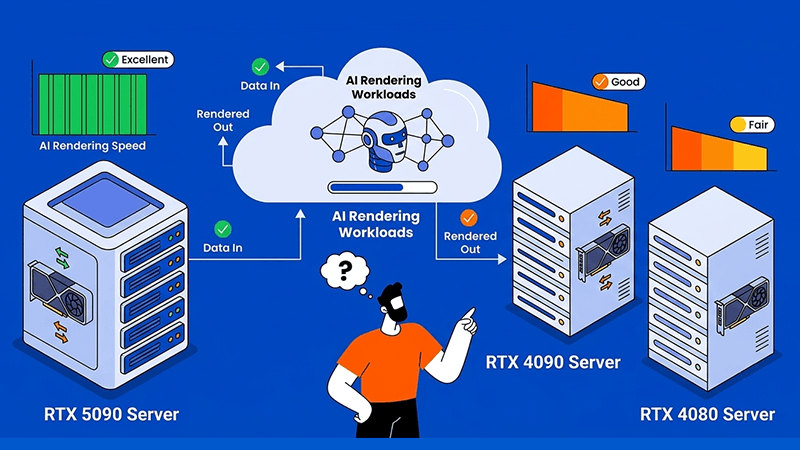
The easiest way to frame the comparison is this: RTX 4080 protects budget, RTX 4090 protects balance, and RTX 5090 protects headroom.
An RTX 4080 server is usually best for lighter rendering pipelines, controlled internal tools, and smaller-scale production. An RTX 4090 server is often the stronger fit for mature rendering environments that are already optimized. An RTX 5090 server becomes more attractive when workflows are heavier, concurrency is rising, or the team wants more room for growth.
In practical terms, the biggest difference is memory and bandwidth. The RTX 5090 offers 32 GB VRAM and much higher memory bandwidth than the RTX 4090, while the RTX 4090 still remains a strong and proven option for many mainstream rendering workflows. RTX 4080-class servers sit lower in headroom, so they are better suited to narrower and more predictable usage.
Why VRAM often matters more than peak speed
For AI rendering, memory pressure is usually the first real limit. Once a workload pushes too close to VRAM capacity, teams often have to reduce batch size, lower resolution, simplify pipelines, or rely on more workarounds. That creates more friction in daily production.
This is why the jump from 24 GB on RTX 4090 to 32 GB on RTX 5090 matters. It gives more room for larger checkpoints, more complex workflows, and steadier multi-job operation. RTX 4080 servers can still work well, but they usually reach that limit sooner.
Tips: Check memory fit before comparing raw speed, because a faster GPU is less useful if the workload keeps running into VRAM limits.
Where each GPU server fits best for AI rendering
An RTX 4080 server is best when the rendering pipeline is light, stable, and budget-sensitive. It works well for testing, internal use, and lower-volume image generation where complexity is controlled.
An RTX 4090 server is best for teams that already understand their rendering stack. It is a strong fit for SDXL, Stable Diffusion, media workflows, and production pipelines that are already profiled and optimized.
An RTX 5090 server is best when rendering starts looking more like infrastructure. That includes FLUX workflows, larger batch rendering, graph-heavy ComfyUI pipelines, shared production nodes, and environments expected to grow over time. The extra VRAM and stronger throughput make it easier to absorb more demanding jobs without redesigning the system too early.
How concurrency changes the right server choice
A server that feels fast in testing may behave very differently once multiple users, queued jobs, or API requests start overlapping. In AI rendering, concurrency creates pressure not only on the GPU, but also on VRAM, storage, and system responsiveness.
That is where the gap between these server types becomes clearer. RTX 4080 servers are more suitable for lower overlap and simpler workloads. RTX 4090 servers handle shared production more comfortably when the stack is already tuned. RTX 5090 servers are usually the easier choice when concurrency is expected to rise and the environment needs more room to stay responsive under load.
Tips: Size for peak overlap, not average usage, because rendering platforms usually become most valuable when more users depend on them at the same time.
Why storage and CPU balance still affect rendering speed
AI rendering is not only about the GPU. The CPU helps with preprocessing, workflow orchestration, scheduling, and file handling. Storage affects how fast checkpoints load, outputs write, and assets move through the system. If either side is weak, the GPU may spend more time waiting than rendering.
That is why buyers should treat a dedicated rendering server as one complete production unit. A stronger GPU paired with weak NVMe performance or an underpowered CPU can still produce poor workflow efficiency. Balanced hardware usually gives better daily output than an oversized GPU sitting in an uneven system.
Why server location still affects rendering efficiency
Even a strong GPU can feel slow if the hosting location is poorly matched to the users, developers, or data path. AI rendering workflows often depend on checkpoint uploads, asset syncing, API traffic, team collaboration, and output delivery. That makes location and network quality part of the decision.
For teams serving Asia or managing cross-border workflows, Hong Kong is often a practical deployment location because of its regional connectivity and low-latency reach. This can help with remote development, rendering APIs, and production systems used by distributed teams. For businesses evaluating infrastructure in Hong Kong, Tokyo, or Los Angeles, Dataplugs provides dedicated server deployment backed by strong network performance, regional coverage, and 24/7 support.
Why scalability should influence the first server decision
A common mistake is choosing a server only for current usage. AI rendering workloads rarely stay fixed. Resolution grows, models become heavier, more users join the workflow, and internal tools often evolve into shared production services.
That is why scalability should be part of the first decision, not something deferred until later. RTX 4080 servers are usually best for bounded workloads. RTX 4090 servers work well when growth is expected but still manageable within known limits. RTX 5090 servers make more sense when the team wants broader runway and fewer future redesigns.
Choosing for the next realistic stage of the workload often creates better long-term efficiency than choosing only for today’s smallest fit.
The server still matters beyond the GPU
A dedicated GPU server should be treated as one production unit, not just a graphics card. CPU resources affect preprocessing and orchestration. RAM affects caching and multi-job handling. NVMe storage affects checkpoint loading, output writing, and file movement. Network quality affects remote workflows and API responsiveness.
This is especially relevant for businesses serving Asia or distributed teams. In many real deployments, the quality of the hosting environment influences rendering efficiency almost as much as the GPU tier itself. That is one reason businesses review Dataplugs for dedicated server deployment in Hong Kong, Tokyo, or Los Angeles, especially where connectivity and support matter alongside hardware choice.
Final verdict
For lighter and more predictable AI rendering, an RTX 4080 server can be enough. For mature production workflows with strong value and proven performance, an RTX 4090 server is often the most balanced option. For heavier rendering pipelines, broader concurrency, and more room for future growth, an RTX 5090 server is usually the better long-term fit.
The best decision comes from matching the server to the actual rendering workload, not just choosing the most powerful card available. For businesses exploring dedicated GPU infrastructure in Hong Kong, Tokyo, or Los Angeles, Dataplugs provides customizable server options, stable connectivity, and 24/7 support for AI rendering deployments. To discuss a suitable setup, contact the Dataplugs team via live chat or email at sales@dataplugs.com.