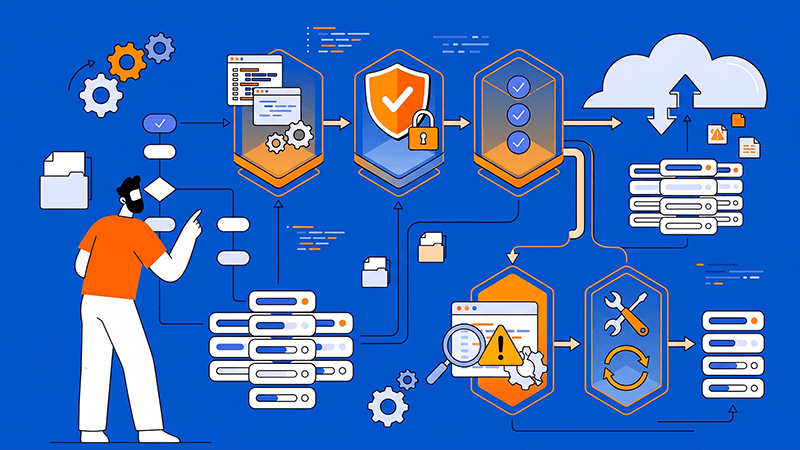
Terraform Workflows for Provisioning Dedicated Server Resources
Terraform can make dedicated server provisioning repeatable, but the workflow must reflect the limits of physical infrastructure. A provider may create a server, network, firewall, or storage resource through an API, while operating-system setup, hardware replacement, and data recovery may still require separate procedures.
A production design should connect provider capabilities, resource dependencies, remote state, secrets, approvals, validation, drift handling, and recovery. Start with the workload and ownership model, then build Terraform modules around the resources your team can actually control.
Define the provisioning boundary
Begin by listing what Terraform should create and what it should hand off. Include dedicated servers, operating-system images, disks, VLANs or private networks, IP addresses, firewalls, DNS records, monitoring, backup targets, and any configuration-management step that follows first boot.
- Choose a provider with a maintained schema and documented lifecycle support for the exact dedicated server resources you need. Confirm whether the API supports creation, resizing, reinstallation, deletion, IP assignment, firewall changes, and data-disk management before committing the design.
- Separate infrastructure ownership from application configuration. Terraform can establish the server and its network boundary, while cloud-init, Ansible, or another supported configuration tool may be better for packages, services, application files, and frequent in-guest changes.
A dedicated server is not interchangeable with a short-lived virtual instance. Provisioning may take longer, replacement may require capacity and scheduling, and a destructive change can affect physical resources or attached data. Make these boundaries visible in code and runbooks before production depends on them. Dataplugs’ guide to dedicated server infrastructure for different industries provides additional context on matching infrastructure to the workload and operational responsibilities.
Tip: Treat Terraform as the source of truth for declared infrastructure, not as a substitute for a complete operating and recovery process.
Design state and secrets before the first apply
Terraform state records the relationships and attributes Terraform needs to manage resources, and it can contain sensitive values. Use a supported remote backend with encryption, access control, state locking, version history, and a recovery process. Keep separate state boundaries for environments or ownership domains that should not be changed together.
- Do not place API tokens, private keys, passwords, or application secrets in variables, outputs, committed files, or command history. Use the provider’s supported secret mechanism and a secret manager where appropriate, and mark sensitive values so they are not displayed casually.
- Limit who can read, change, and approve state. A team member who can alter state or provider credentials may be able to change production infrastructure even when the Terraform code is unchanged.
For SaaS teams, Dataplugs’ guidance on scaling SaaS platforms also reinforces the value of matching infrastructure choices to traffic patterns, deployment models, and long-term operational control.
Build a safe plan and apply workflow
Run formatting, validation, provider checks, and a plan in CI before an apply is approved. Review the plan for replacements, public exposure, changed IPs, attached-disk actions, and any resource that will be destroyed or recreated.
- Use separate stages for pull requests, planning, approval, and apply. Keep provider credentials and state access in the execution environment, not in the repository, and record who approved a production change.
- Use plan files or an equivalent reviewed artifact so the approved change is the one applied. Set clear policies for public IPs, open firewall ports, unencrypted storage, unsupported images, and missing backups.
For repeatability, make the configuration idempotent. Avoid provisioners that depend on a particular shell state or return different results on every run. When a post-provisioning command is unavoidable, make its inputs, outputs, failure behavior, and ownership explicit.
Connect provisioning to security and operations
A new server should enter production with least-privilege access, a supported operating system, patch ownership, firewall rules, monitoring, time synchronisation, backup coverage, and an escalation path. Provision these controls where the provider supports them, and verify the controls inside the operating system after first boot.
- Use short-lived or narrowly scoped credentials for provider and configuration steps. Restrict SSH or remote-management access, keep administrative ports off the public network where possible, and log changes to both Terraform state and the provider account.
- Expose useful outputs for operations, but avoid printing secrets. Connect server IDs, addresses, monitoring targets, backup policies, and ownership labels to the runbooks that support incident response and recovery.
Dataplugs’ guide on dedicated servers for enterprise ERP systems explains why stable infrastructure, integration, and operational planning should be considered together; Terraform adds repeatable control only when the provider API and operating procedures are designed together.
Test the full lifecycle
A successful terraform apply is not the same as a production-ready server. Test creation, first-boot configuration, DNS and firewall behavior, monitoring registration, backup execution, reboot, reinstallation, replacement, and recovery in a non-production environment or controlled maintenance window.
- Keep a small representative workload for validation. Confirm that the server is reachable through the intended private and public paths, services start after reboot, attached storage is mounted correctly, and the team can recover when a provider operation fails halfway through.
- Record the steps that Terraform cannot perform automatically, including capacity requests, hardware replacement, data migration, manual approval, and provider escalation. A runbook should state which state is authoritative, how to pause automation, and how to reconcile the result after a manual change.
Conclusion
Terraform works well for dedicated server provisioning when the design starts with provider capabilities and clear ownership. Use modules to standardize repeatable resources, remote state to coordinate changes, secure execution to protect credentials, and plans and policies to make destructive actions visible.
Dataplugs dedicated servers give teams a stable physical base for workloads that need predictable resources and control. Start with the server lifecycle and recovery requirements, then build a Terraform workflow your team can review, operate, and repair over time.
For more information, visit the Dataplugs website or contact sales@dataplugs.com.